Golf Clicker — iPhone + Apple Watch Golf Stroke Counter
Project Overview
Version 1.2 is shaped by golfers playing real rounds. They told us they play 9 holes or stop early, sometimes skip a hole, and often don't care about par. 1.2 makes the app fit those rounds and adds a Settings screen, while keeping counting fast and the iPhone ↔ Watch sync safe.
What's New in 1.2 and Why
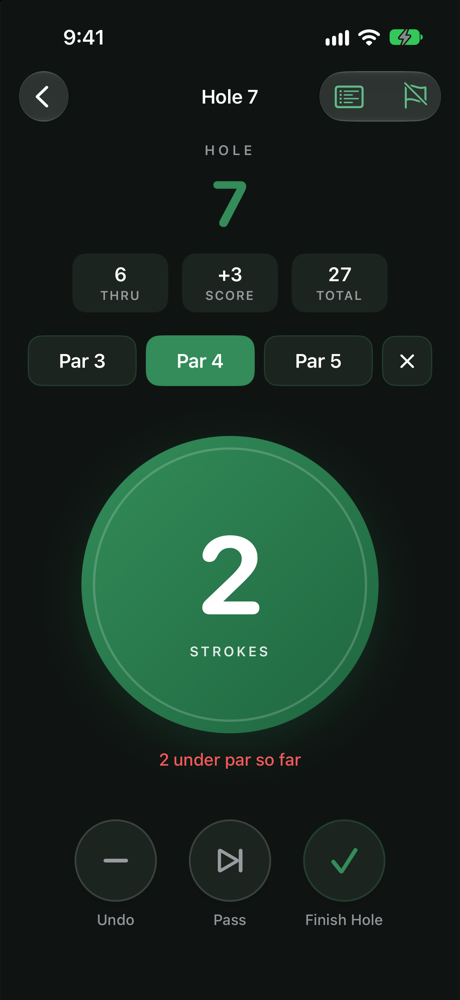
- Golfer feedbackCount without choosing par. The stroke button works as soon as a hole starts, on iPhone and Apple Watch. Par is optional: set it before, during or after the hole, change it later on the scorecard, or clear it. Why: golfers found picking par before the button worked slow, and many don't know or care about par for every hole. In 1.0 and 1.1 the counter was locked until par was set, and the watch waited for the phone after every hole.
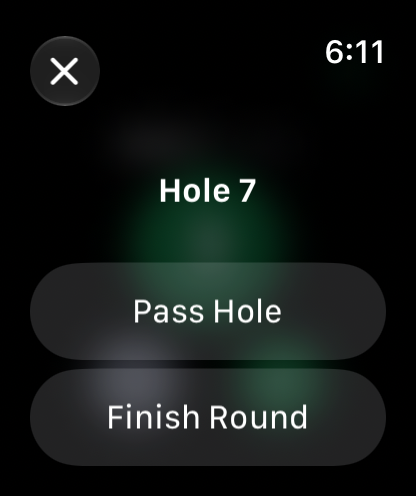
- Golfer feedbackFinish the round at any hole. Finish Round is always available from the crossed-out flag button, on iPhone and now on Apple Watch. If the current hole has strokes, the app warns first and keeps them as an Incomplete hole that is shown but not counted. Why: golfers often play only 9 holes or stop early, but earlier versions only let you finish after hole 18.
- Golfer feedbackPass a hole you skip. Pass Hole marks the hole as not played and moves on, on iPhone and Apple Watch. Every pass asks first, and if strokes were already recorded it warns that they will be deleted. Passed a hole by accident? Tap it on the scorecard and choose Resume This Hole to score it after all. Why: golfers sometimes skip a hole and needed a way to mark it without a score. Just before release, a golfer reported that one stray tap passed a hole for good, so every pass is now confirmed and recoverable.
- NewHonest scoring with partial par. Totals count only finished holes. Score versus par uses only holes that have par and says how many, for example "+2 · 7 of 9 holes". History never presents a partial score as the round's result. Why: once par became optional, adding "par 0" for unknown holes would have made scores wrong.
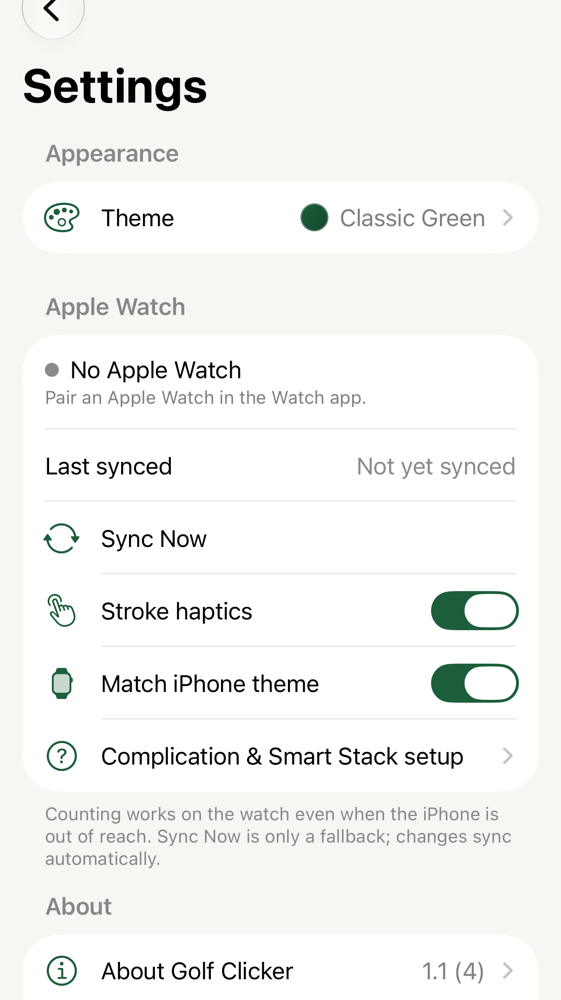
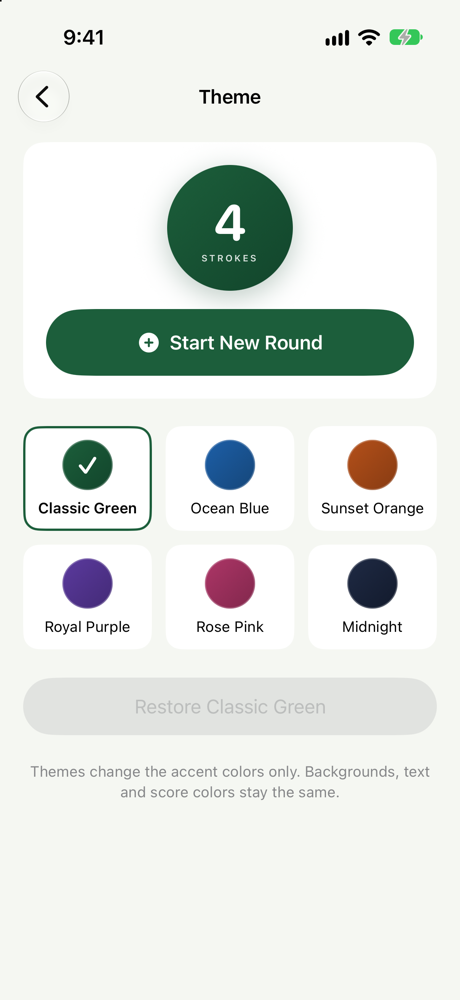
- NewSettings. Six accent themes with a live preview, Apple Watch connection status, "Last synced" (only after the watch confirms), Sync Now, stroke haptics, a separate watch theme, a complication setup guide, and About. Why: to show at a glance whether the watch is connected and up to date, and to offer some personalization without adding clutter.
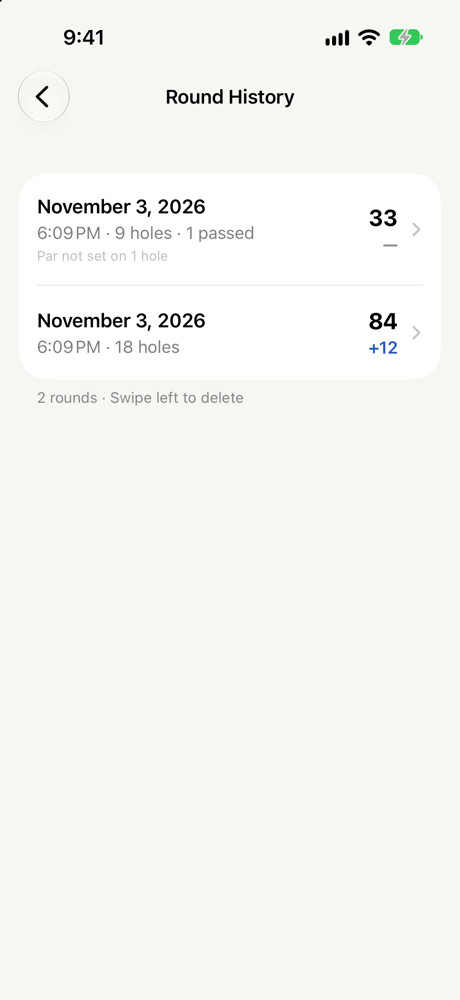
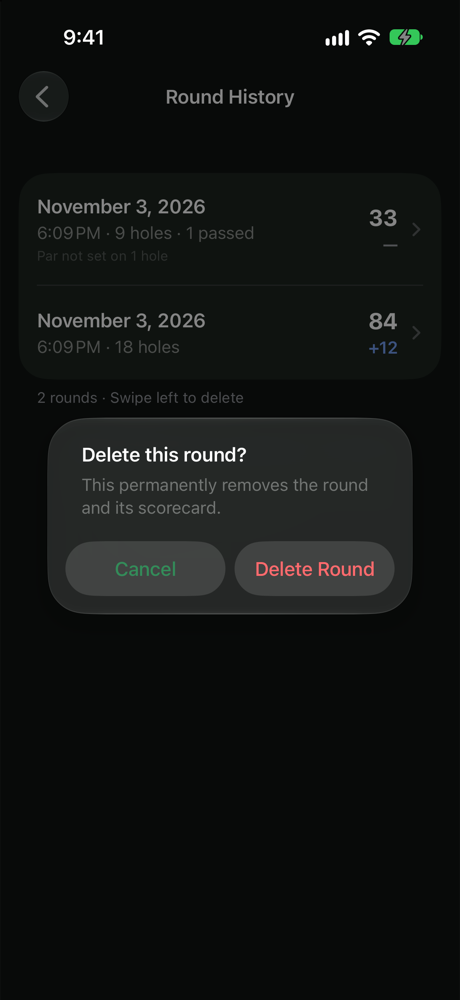
- FixSmoother Round History deletion. Swiping a round and tapping Delete, or swiping all the way, opens one centered confirmation alert. Nothing is deleted until you confirm, and cancelling slides the row back. Why: the old confirmation appeared as an awkward popover attached to the row.
- FixSafer data. The on-device database is now versioned and migrates automatically, with every existing round kept as it was. If storage can't open, the app shows a recovery screen instead of closing.
App Screenshots (1.2)
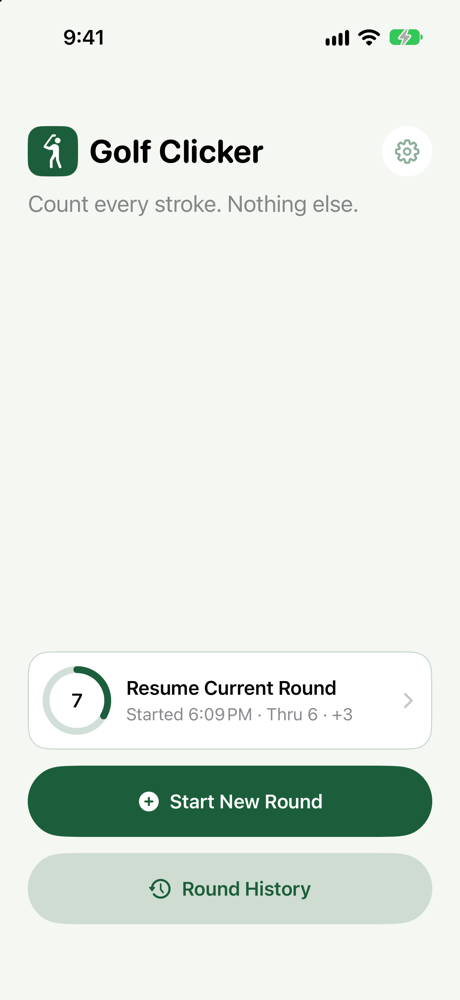
iPhone
Apple Watch
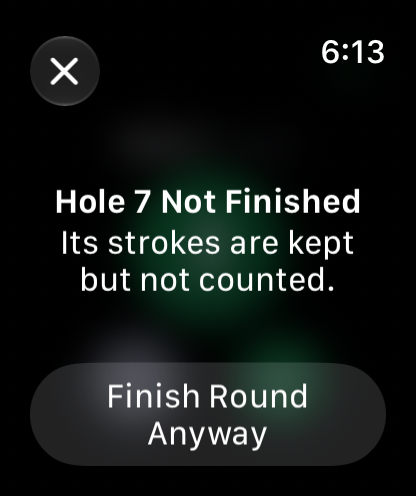
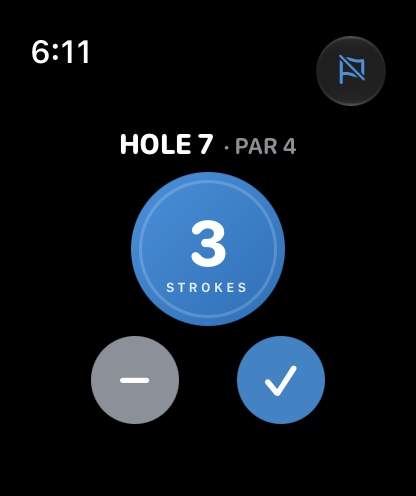
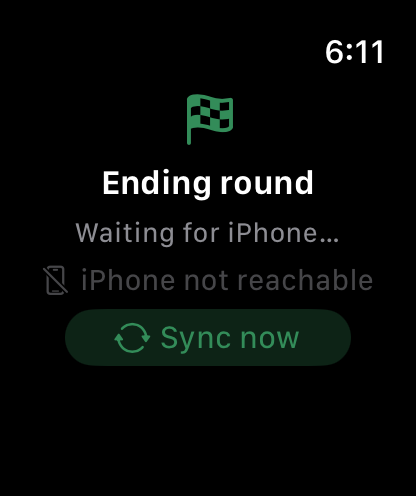
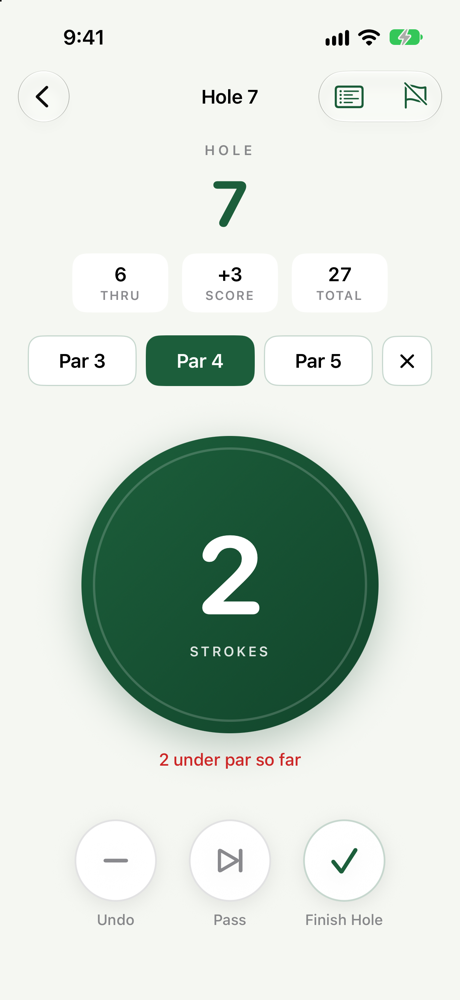
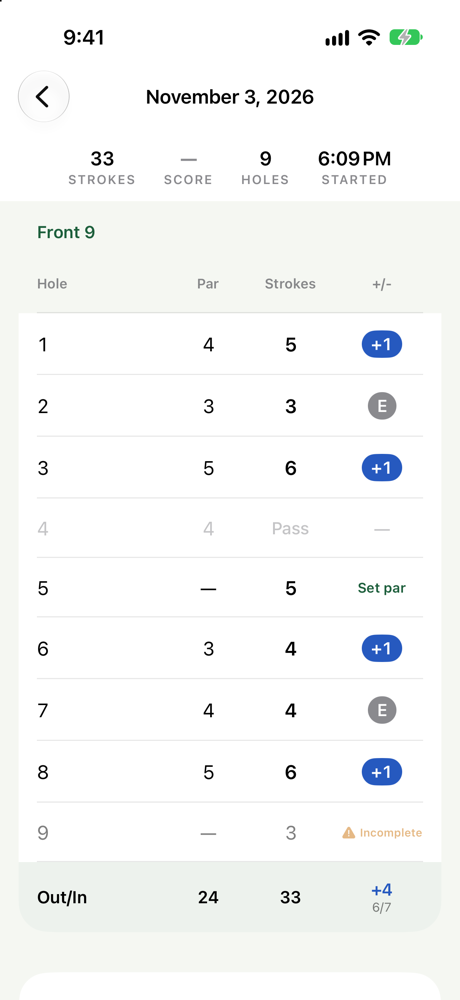
Simulator screenshots: iPhone 17 and Apple Watch 46 mm.
Feature Tour
Active round
Big hole number; Thru / Score / Total pills; an optional Par 3 / 4 / 5 selector with a clear button; and a large circular stroke button with haptics that works immediately. Undo, Pass and Finish Hole sit below. The crossed-out flag in the top bar ends the round at any hole.
Hole states
| State | Meaning | Counts in totals |
|---|---|---|
| Not played | A future hole, or an empty hole when the round ended | No |
| In progress | The current hole | Not yet |
| Completed | Finished with Finish Hole (at least 1 stroke) | Yes; versus par only if par is set |
| Pass | Skipped on purpose, after confirmation; strokes, if any, were deleted. Can be resumed from the scorecard while the round is in progress | No |
| Incomplete | The round ended while this hole had strokes | No; strokes are kept and shown with a warning |
Scorecard
During a round all 18 holes are listed. A finished round shows only the holes played, so a 9-hole round has no empty Back 9. Pass and Incomplete are always written out with text and an icon, never color alone. Tap any finished hole to set or change its par or strokes; totals recalculate.
Round History
Each round shows "9 holes · 1 passed", total strokes, and score versus par only when every counted hole has par; otherwise it says how many holes are missing par. Swipe to delete with a single centered confirmation.
Apple Watch
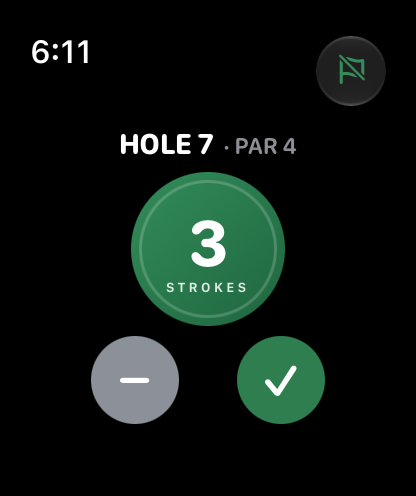
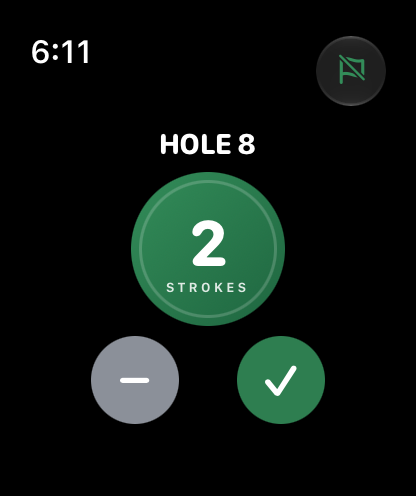
The big-button counter with Undo and Finish Hole, sized to fit 40–49 mm cases. The flag button opens a native list with Pass Hole and Finish Round, so the counting screen stays uncluttered. Counting keeps working when the iPhone is out of reach. The complication and Smart Stack card from 1.1 follow the current hole, and the Smart Stack card uses the chosen theme.
Settings and themes
Classic Green (the original look), Ocean Blue, Sunset Orange, Royal Purple, Rose Pink and Midnight. Themes change accent colors only. The watch can match the iPhone or use its own theme. The Apple Watch section reads its status from the real connection state, and "Last synced" only updates after the watch confirms it received the data.
Live Activity / Dynamic Island
Lock Screen and Dynamic Island views with hole, par (when set), strokes and "Thru n · total · +/-", in the chosen theme, updated after every change including watch taps.
Architecture
| Component | Responsibility |
|---|---|
RoundStore |
Single entry point for every round change. Enforces the hole-state transition table, saves each change atomically and rolls back on failure. |
| Versioned SwiftData schema | V1 is the 1.0/1.1 model; V2 adds the round's final hole. A lightweight migration upgrades existing stores without rewriting rounds, verified by a test that opens a real 1.x store file. |
PhoneSyncCoordinator / WatchSyncCoordinator |
WatchConnectivity. The phone publishes snapshots and preferences together; the watch sends absolute-count events for strokes, Finish Hole, Pass Hole and Finish Round, falling back to a durable queue when the phone is unreachable. |
| Theme and preferences | One shared theme definition compiled into the iPhone app, watch app and both widget extensions. Preferences are local, versioned, and pushed to the watch. |
| Widgets and Live Activity | Watch complication and Smart Stack (App Group shared state, reload only on visible change); iPhone Live Activity kept in step with the active round. |
Engineering Notes — Keeping Every Stroke
- The watch sends absolute counts, never
+1, so a duplicated or replayed event cannot double-count. - Pass Hole and Finish Round from the watch apply only while that hole is still current in that round. A late or duplicate delivery does nothing and can never end a newer round.
- If the iPhone recorded strokes the watch never saw, a watch Pass or Finish Round is refused instead of deleting or misrecording them. The watch is told and returns to the phone's state.
- Resuming a passed hole never touches other holes, and only one hole is ever in progress. A late Pass from the watch can't pass a resumed hole again.
- Conflicts are decided by snapshot revision, not by comparing two devices' clocks.
- Ending a round saves its status, end time and final hole in one commit, so a crash can never leave a half-finished round.
- All new text lives in String Catalogs with plural rules, ready for future localization.
Known Limitations in 1.2
- LimitThe watch waits for the iPhone to move to the next hole. Counting works offline, but after Finish Hole, Pass or Finish Round on the watch with the iPhone out of range, the watch shows "Waiting for iPhone…" until they reconnect. Letting the watch advance on its own is being evaluated.
Version History
| Version | Focus | Why |
|---|---|---|
| 1.2 (current) | Round experience from golfer feedback: optional par, Pass Hole, Finish Round at any hole (iPhone and Watch); Settings and themes; safer data | Real rounds are often 9 holes, skip holes, and ignore par |
| 1.1 | Apple Watch Experience: complication, Smart Stack, layouts for every case size, revision-based sync | Getting back to the counter from other golf apps was slow; small watches clipped controls |
| 1.0 | Initial launch: iPhone + Watch stroke counter, scorecard, history, Live Activity | A minimal, offline way to count strokes from the wrist |